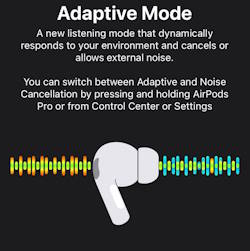
Hidden features of AirPods Pro 3? While most users treat their AirPods strictly as audio output devices, the H2 chip inside the AirPods Pro 3 is essentially a miniaturized, wearable computer.
Packed with an Inertial Measurement Unit (IMU), infrared sensors, a heart rate monitor, and dedicated neural processing cores, these earbuds possess capabilities that extend far beyond simply playing music.
If you want to move beyond the basics, here is a technical breakdown of the best AirPods Pro 3 tips and tricks, leveraging the hidden features you might not realize you are wearing.
1. Sensor Fusion and Head Gestures
One of the most impressive AirPods Pro 3 hidden features is the ability to interact with Siri using silent head movements. This isn't simple motion detection; it requires complex “sensor fusion.”
The earbuds contain a 6-axis IMU (a 3-axis accelerometer paired with a 3-axis gyroscope). When a call comes in, the H2 chip begins polling these sensors at a high frequency.
To differentiate between a deliberate nod (to answer) and the natural bounce of walking, the chip uses an adaptive algorithm to filter out linear acceleration, isolating the specific rotational velocity of your neck pivot. This allows for discreet, hands-free call management without uttering a word.



2. The AirPods Pro 3 Camera Remote
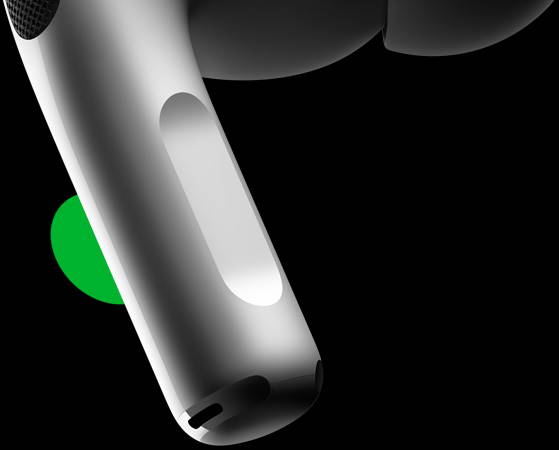
A highly practical but undocumented feature is using your AirPods Pro 3 as a remote shutter for your iPhone camera. When you squeeze the capacitive force sensor on the stem while the camera app is open, it triggers the shutter.
Technically, the AirPods achieve this by temporarily registering as a Bluetooth Human Interface Device (BLE HID)—the exact same protocol … Read the rest