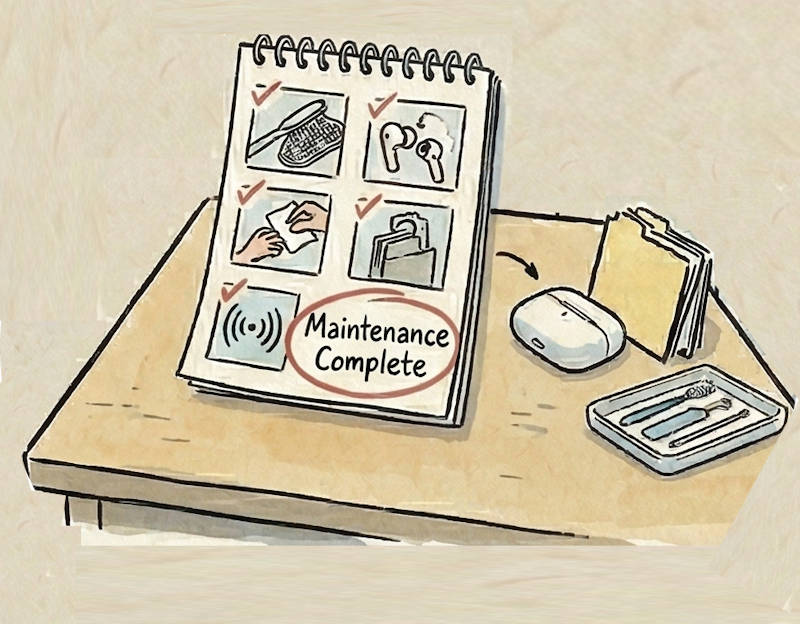
High-fidelity audio equipment, like AirPods Pro 3, requires meticulous maintenance. Because AirPods sit inside the ear canal, they are subjected to cerumen (earwax), sweat, and body heat.
The shift from pure silicone to a foam-infused composite in the newest generation changes the rules of hardware care. Here is the AirPods Pro 3 maintenance guide on how to clean AirPods Pro 3 without degrading the acoustic materials or destroying the biometric sensors.
1. The Vulnerability of AirPods Pro 3 Foam Tips
The secret behind the improved bass response of the AirPods Pro 3 is the new viscoelastic memory foam microspheres injected into the silicone tips. This material engineering provides a superior acoustic seal, but it introduces a severe chemical vulnerability.
Standard pure silicone tips could be aggressively soaked in isopropyl alcohol (IPA). Do not do this to the AirPods Pro 3 foam tips.
High-concentration solvents (like 70% or 90% isopropyl alcohol) will rapidly break down the cellular structure of the polyurethane foam microspheres. Over a few weeks of alcohol exposure, the tips will harden, lose their viscoelastic rebound, and permanently compromise your passive noise isolation and sub-bass response.
2. Chemical-Free Cleaning Protocols for AirPods Pro 3 Maintenance
Proper AirPods Pro 3 maintenance requires a gentle, mechanical approach rather than a chemical one.
The Safe Cleaning Protocol:
- Remove the tips: Always detach the tips from the earbud chassis before cleaning.
- Warm water rinse: Rinse the tips under lukewarm water. You can use a mild, unscented dish soap if there is heavy oil buildup, but avoid harsh detergents.
- Air dry completely: Because the foam contains microscopic air pockets, it can trap moisture. Let the tips air-dry on a paper towel for at least two hours before reattaching them. Reattaching wet tips risks pushing water through the acoustic mesh into the driver assembly.
![Apple Watch Series 11 [GPS 42mm] Smartwatch with Rose Gold Aluminum Case with Light Blush Sport Band - S/M. Sleep Score, Fitness Tracker, Health Monitoring, Always-On Display, Water Resistant](https://m.media-amazon.com/images/I/31J+F-pXaWL._SL160_.jpg)

3. Restoring Acoustic Mesh Impedance
If you notice a sudden drop in volume or ANC performance, the culprit is rarely a blown driver; it is almost always cerumen clogging the primary acoustic mesh.
Sound waves are essentially minute changes in air pressure. When earwax (which is naturally sticky and hydrophobic) coats the micro-perforations of the mesh, it massively increases the acoustic impedance, physically blocking the sound waves from exiting the chamber.
To clean the mesh, hold the earbud with the mesh facing downward (so gravity works with you, not against you). Use a dry, clean, soft-bristled toothbrush to gently sweep across the mesh. Do not press hard, as you can easily push the wax deeper through the mesh into the internal acoustic chamber, which requires professional servicing to remove.
4. Polishing the Biometric IR Window
The most unique hardware addition to the AIrPods Pro 3 is the inward-facing infrared (IR) heart rate sensor. Because this operates via Photoplethysmography (PPG), it relies entirely on optical clarity to function.
If the clear plastic window housing the photodiode gets smudged with skin oils or sunscreen, the light refraction index changes. The IR beam scatters, significantly degrading the signal-to-noise ratio and causing the heart rate data to drop out during workouts or lose accuracy.
Wipe the inner curve of the earbuds down with a dry microfiber cloth after every heavy workout to ensure the biometric lens remains optically transparent.
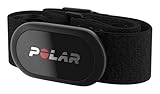
- WORKS WITH EVERYTHING: Polar HRM works with ALL HRM compatible Equipment.
- SUPREME ACCURACY: Widely recognized for its top precision by many sources, Polar H10 is the most accurate heart rate sensor in Polar's history. Polar H10 provides top quality measurement.
- CONNECTIVITY: Bluetooth, ANT plus and 5 kHz provide an excellent variety of connection options. You can use Bluetooth and ANT plus connections simultaneously as well as two Bluetooth connections simultaneously.
- POLAR PRO CHEST STRAP: With improved electrodes, an easy-to-use buckle and silicone dots, the strap is comfortable and interference-free.
- VERSATILITY: Polar H10 is fully waterproof and it has internal memory for multiple hours.
Do you have any questions about AirPods Pro 3 maintenance and cleaning?
Please let us know your questions in the comment box below.
This is part of the AirPods Pro 3 guide series. This series begins with a Long-Term Review covering ANC and battery life, followed by a deep dive into computational audio in our audiophile comparison. We also put the new biometrics to the test with a phone-only workout guide and a rigorousheart-rate accuracy test against clinical-grade chest straps.
To help you maximize your hardware, we uncover 4 hidden features of AirPods Pro 3 like edge-based translation, configure the ultimate student setup for campus life, and optimize beamforming mics for commuting and open offices. Finally, we explain the exact material-science protocols needed in our AirPods Pro 3 cleaning and maintenance guide.
You may check Headphone 101 for detailed explanations of headphone technologies and terms.
For Bluetooth headphone guides, please check the Bluetooth headphones section.
The sports headphones section is dedicated to guides on sports headphones.
You may also reach us through our Facebook page.


Leave a Reply