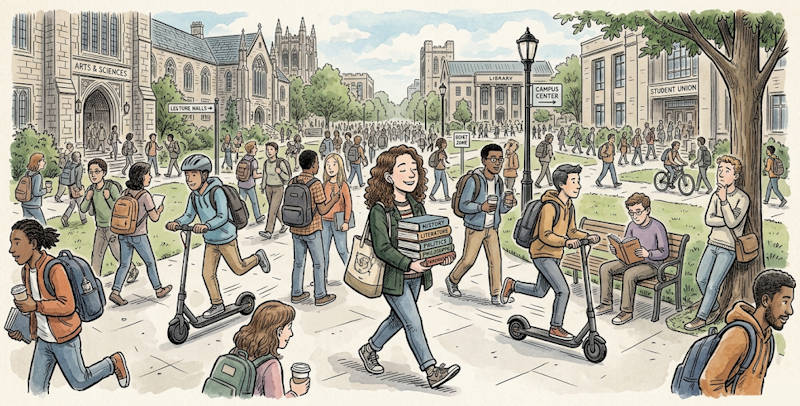
For university students, earbuds are not a luxury; they are survival gear. Between echoing lecture halls, noisy dorms, and marathon library sessions, controlling your acoustic environment is critical to academic performance.
However, getting the most out of your audio gear requires more than just turning on noise cancellation.
Here is the AirPods Pro 3 technical guide to configuring the best earbuds for students, focusing on acoustic isolation, battery management, and assistive listening.
1. Engineering Silence: AirPods Pro 3 for Studying
When evaluating the AirPods Pro 3 for studying, the primary metric is how well they eliminate human speech without sacrificing audio quality. Human voices occupy the 250Hz to 3KHz frequency band, which is notoriously difficult for Active Noise Cancellation (ANC) to eliminate because the waveforms are highly dynamic and unpredictable.

The AirPods Pro 3 excels here by combining high passive noise isolation (PNI) from the new foam-infused tips with an incredibly fast feed-forward ANC loop.
To maximize this feature for studying, map the “Background Sounds” feature directly to the Control Center. Mixing a brown noise (which has higher energy at lower frequencies) over the ANC creates an acoustic masking floor that effectively renders nearby conversations completely unintelligible, allowing for deep cognitive focus. Sony WF-1000XM6 probably is the only competitor in this aspect.
2. Adaptive Transparency on Campus
Total acoustic isolation is great for the library, but highly dangerous when walking across a campus shared with electric scooters and traffic.
Adaptive Transparency solves this by computationally passing through environmental audio while clamping down on high-decibel transients.
If a siren passes by at 110dB, the H2 chip detects the amplitude spike and engages the compressor in less than 48,000 times per second. It squashes the siren down to a safe 85dB before it hits your eardrum, maintaining your situational awareness without causing acoustic trauma.
3. The 8-Hour AirPods Pro 3 Battery Life Test
Can the earbuds actually survive a full day of back-to-back classes? To answer this, we conducted an AirPods Pro 3 battery life test simulating a typical student workload.
Lithium-ion cell power draw is not linear; it is highly dependent on the computational load.
- Scenario A (Music + ANC): Streams constant data over Bluetooth and runs the ANC algorithm. Yields ~7.5 hours.
- Scenario B (Transparency + Podcast): Lower bandwidth audio, but the external mics are constantly active. Yields ~7 hours.
- Scenario C (Pure ANC, no audio): Disconnecting Bluetooth and just using the earbuds as electronic earplugs drastically reduces the radio power draw. Under this load, the earbuds can push past 9.5 hours, easily covering a full day in the library.
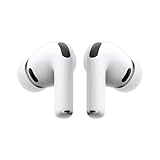
- WORLD’S BEST IN-EAR ACTIVE NOISE CANCELLATION — Removes up to 2x more unwanted noise than AirPods Pro 2* so you can stay fully immersed in the moment.*
- BREAKTHROUGH AUDIO PERFORMANCE — Experience breathtaking, three-dimensional audio with AirPods Pro 3. A new acoustic architecture delivers transformed bass, detailed clarity so you can hear every instrument, and stunningly vivid vocals.
- HEART RATE SENSING — Built-in heart rate sensing lets you track your heart rate and calories burned for up to 50 different workout types.* With iPhone, you will have access to the Move ring, step count, and the new Workout Buddy,* powered by Apple Intelligence.*
- LIVE TRANSLATION — Communicate across language barriers using Live Translation,* enabled by Apple Intelligence.*
- EXTENDED BATTERY LIFE — Get up to 8 hours of listening time with Active Noise Cancellation on a single charge. Or up to 10 hours in Transparency using the Hearing Aid feature.*

4. Live Listen: Hacking Lecture Hall Acoustics
If you are seated in the back of a cavernous, acoustically poor lecture hall, the professor's voice is degraded by the inverse square law and room reverberation by the time it reaches you.
You can bypass the room acoustics entirely using “Live Listen.”
By placing your iPhone at the front of the room near the podium, the phone's bottom microphone acts as a directional boom mic. It captures the professor's voice at the source and streams it via Bluetooth directly into your AirPods Pro 3. This effectively increases the Signal-to-Noise Ratio (SNR) exponentially, transforming the earbuds into a discreet, highly effective assistive listening device.
If you have any questions about maximizing AirPods Pro 3 for focus and study for students, please let us know in the comment box below.
This is part of the AirPods Pro 3 guide series. This series begins with a Long-Term Review covering ANC and battery life, followed by a deep dive into computational audio in our audiophile comparison. We also put the new biometrics to the test with a phone-only workout guide and a rigorousheart-rate accuracy test against clinical-grade chest straps.
To help you maximize your hardware, we uncover 4 hidden features of AirPods Pro 3 like edge-based translation, configure the ultimate student setup for campus life, and optimize beamforming mics for commuting and open offices. Finally, we explain the exact material-science protocols needed in our AirPods Pro 3 cleaning and maintenance guide.
You may check Headphone 101 for detailed explanations of headphone technologies and terms.
For Bluetooth headphone guides, please check the Bluetooth headphones section.
The sports headphones section is dedicated to guides on sports headphones.
You may also reach us through our Facebook page.


Leave a Reply