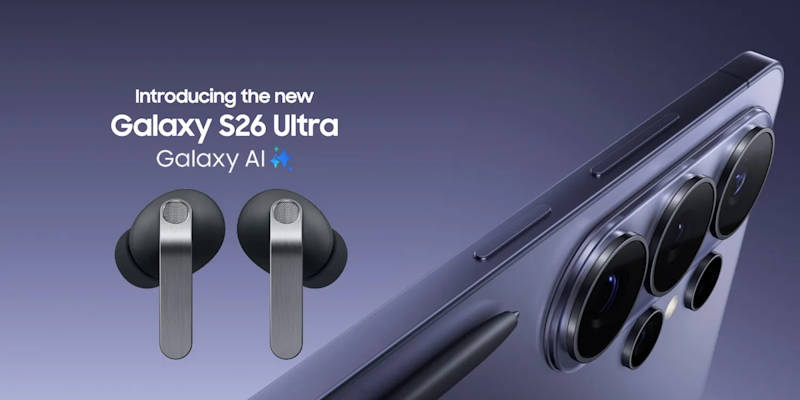
When Samsung unveiled the Galaxy S26 series, “Galaxy AI” was the inescapable buzzword. While AI features are often relegated to photo editing or text generation on the smartphone display, the new Galaxy Buds 4 series acts as the crucial acoustic bridge to these systems.
If you want to know how to use Galaxy AI on Buds 4, the first thing to understand is the hardware pipeline. True wireless earbuds lack the thermal overhead and battery capacity to run native neural processing units (NPUs) for complex AI tasks. Instead, the Galaxy Buds 4 Pro rely on an ultra-low-latency Bluetooth 6.1 link to offload the computational heavy lifting to the S26's Snapdragon or Exynos processor.
In this deep dive, we explore the software ecosystem, providing essential Galaxy Buds 4 Pro tips and tricks to transform your earbuds from passive speakers into active digital assistants with Galaxy AI.
Please note that in this guide, we used Galaxy S26 as a demo. Most of the features also work with Galaxy devices with One UI 8(e.g.,Galaxy S25, Galaxy S24, and Galaxy S23). Besides, all features are available on both Galaxy Buds 4 or Buds 4 Pro.
The Real-Time Interpreter with Galaxy AI
Perhaps the most heavily marketed feature is the live translation capability. For frequent travelers, a comprehensive Galaxy Buds 4 real-time interpreter guide is essential, as the UI can be slightly unintuitive on the first attempt.
The Interpreter feature operates in two distinct modes: Face-to-Face and Phone Call.
In Face-to-Face mode, you hand your unlocked S26 to the person you are speaking with. They speak into the phone's bottom microphone in their native language (e.g., Japanese). The phone's NPU transcribes, translates, and synthesizes the audio, piping the English translation directly into your Galaxy Buds 4 Pro in roughly 0.8 to 1.5 seconds. When you reply, the onboard 16kHz microphones on the Galaxy Buds pick up your English, and the phone's speaker broadcasts the Japanese translation.
In Phone Call mode, the translation is handled entirely in-ear to keep the process private. When the person on the other end of the line speaks (e.g., in Japanese), the S26's processor intercepts the audio from the phone line, translates it, and pipes the English translation directly into your Galaxy Buds 4. When you speak your reply into the Galaxy Buds' microphones, the S26 translates your English and sends the translated Japanese audio back over the phone line to the call recipient, meaning neither party hears the untranslated language.
Audiophile tip: The latency heavily depends on whether you have downloaded the language packs for offline use. Relying on the cloud-based translation introduces a noticeable delay due to server round-tripping. Always download the 300MB to 500MB language packs in the Galaxy Wearable app before traveling.
![Samsung Galaxy Buds 4 (2026) AI True Wireless Bluetooth Earbuds + $20 Gift Card, Noise Cancelling, Hi-Res Audio, 1-Way Speaker, New Fit, IP54, Live Translation, Black [US Version, 2 Yr Warranty]](https://m.media-amazon.com/images/I/31lBrdEkiML._SL160_.jpg)


Always-Listening: Summon Google Gemini AI with Galaxy Buds 4
Voice assistants on earbuds have historically required a physical trigger—usually a long press on the stem. The Galaxy Buds 4 introduced a continuously active, low-power microphone state that allows for completely hands-free activation.
While Bixby is the default, the true power of the ecosystem unlocks when you map the trigger word to Google's advanced models. To summon Gemini with Galaxy Buds 4, you must dive into the Galaxy Wearable app, navigate to “Voice Wake-up,” and select Gemini as your primary agent.
Because the Galaxy Buds 4 utilize a dedicated Voice Pickup Unit (VPU) that relies on bone conduction to verify jaw movement, false activations from ambient noise or other people speaking your trigger word are virtually eliminated. You can be in a crowded subway and quietly say, “Hey Gemini, summarize my last three emails,” and the S26 will process the request and read the summary back seamlessly.
Hardware Accelerometers and Samsung Buds 4 Head Gestures Setup
One of the more polarizing additions to the Galaxy Buds 4 series is gesture control. Deep within the experimental features lies the Samsung Galaxy Buds 4 head gestures setup.
By utilizing the internal Inertial Measurement Unit (IMU)—a combination of microscopic accelerometers and gyroscopes—the earbuds track the spatial orientation of your head. When a phone call comes in, you can simply nod your head twice to accept it, or shake your head side-to-side to reject it. A similar feature can also be found on AirPods Pro 3 and Sony WF-1000XM6.
Is it a gimmick? Yes and no. In a sterile environment, it works flawlessly. If your hands are covered in flour while cooking, nodding to answer a call is genuinely magical. However, the critical caveat is false positives. In our testing, running on a treadmill or riding a particularly bumpy bus could occasionally trick the IMU into registering a “nod,” accidentally answering spam calls. We recommend adjusting the gesture sensitivity to “Low” in the Wearable app to mitigate this.
Acoustic Mastery: Galaxy Buds 4 Pro EQ Settings for Audiophiles
Samsung has finally given power users the granularity they have been begging for. Previous generations offered basic EQ presets (Bass Boost, Treble Boost, Dynamic). The Galaxy Buds 4 introduces a true 9-band parametric equalizer within One UI 8.0.
For purists searching for the best Galaxy Buds 4 Pro EQ settings for audiophiles, we recommend a slight reduction in the mid-bass. Out of the box, the 11mm dynamic woofer slightly bleeds into the lower vocal range (~250 Hz). By pulling down the 250 Hz and 500 Hz sliders by -2dB, and slightly elevating the 8 kHz slider by +1dB, you allow the 5.5mm planar tweeter to shine, creating a much wider, more analytical soundstage reminiscent of the Harman Target Curve.
Furthermore, ensure the “Ultra High Quality (UHQ)” toggle is enabled under the advanced Bluetooth settings. This forces the Samsung Seamless Codec to prioritize 24-bit/96kHz transmission (narrowing the gap to LDAC), though it will consume roughly 15% more battery than using standard SBC/AAC.
![Samsung Galaxy Buds 4 Pro (2026) AI True Wireless Bluetooth Earbuds + $30 Gift Card, Hi-Res Audio, 2-Way Speaker, ANC 2.0, Optimized Comfort, IP57, Live Translation, Black [US Version, 2 Yr Warranty]](https://headphoneguidepro.com/wp-content/plugins/aawp/assets/img/placeholder-large.jpg)
- BUNDLE: Prime members get an Amazon Gift Card when you order Samsung Galaxy Buds4 Pro. Select the gift card bundle variation for redemption. Gift card may ship separately.
- EXCEPTIONAL AUDIO: Catch details like never before. Designed with a High-Res Audio¹ 24-bit hi-fi codec, the latest Galaxy earbuds maintain the integrity of your favorite audio over Bluetooth.
- TWO-WAY SPEAKER: Enjoy every audio experience to the fullest with two speakers in both Buds, including a tweeter for rich highs and a woofer for deep, full lows.
- HD VOICE: Enjoy clear phone calls with Galaxy Buds4 Pro and Galaxy S26 Series² —they work together to deliver crisp and clear conversations.
- ANC 2.0: Wherever you go, Adaptive Active Noise Cancellation 2.0³ intelligently adapts in real time to provide stronger, smoother noise cancellation wherever you go.
Future-Proofing: The Latent Potential of Bluetooth 6.1
The Galaxy Buds 4 (and Galaxy Buds 4 Pro) are heavily over-engineered for their current software suite. The inclusion of Bluetooth 6.1 means they are capable of incredibly precise spatial tracking.
While current 360 Audio merely anchors the soundstage to your phone screen, upcoming One UI updates are rumored to introduce true room-mapping spatial audio, similar to Apple's Apple TV integration, utilizing the immense bandwidth of the new Bluetooth standard.
If you have any questions about AI features and other tips and trick of Galaxy Buds 4 and Galaxy Buds 4 Pro, please share them in the comment box below.
This article is part of our comprehensive 5-part technical guide to the Galaxy Buds 4 series. You can start from the beginning to explore the physical and acoustic evolution of the new hardware, or dive directly into our head-to-head metric comparison between the standard and Pro models. To see how Samsung's engineering stacks up against the wider industry, check out our flagship shootout against Apple, Sony, and Bose. For S26 power users, we have a masterclass on maximizing Galaxy AI, head gestures, and parametric EQ settings, and a scenario-based purchasing guide to help you find the perfect fit for your lifestyle.
You may check Headphone 101 for detailed explanations of headphone technologies and terms.
For Bluetooth headphone guides, please check the Bluetooth headphones section.
The sports headphones section is dedicated to guides on sports headphones.
You may also reach us through our Facebook page.


Leave a Reply